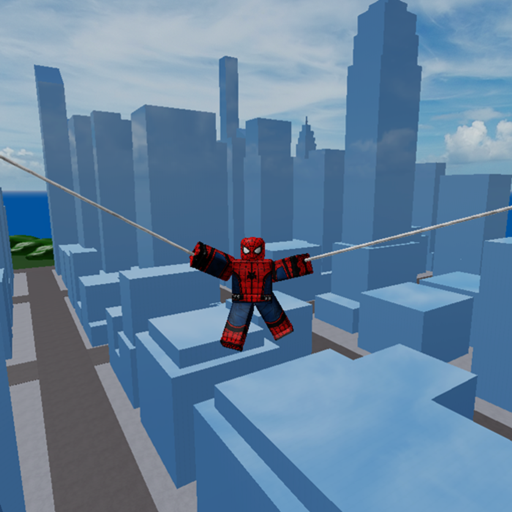
Marvel and DC Super Heroes Session Planner Tool
A lightweight checklist for intentional public-server nights in the hhjhhjhh10 sandbox.
The Session Planner turns a chaotic Marvel and DC Super Heroes evening into a short script you can actually finish. Place 6132958612 by hhjhhjhh10 is free online multiplayer (up to 60 players) released 2020-12-25. This tool page is not a download—it is a planning template you copy into notes before you tap Play.
Sibling tools: Character Picker, Controls Cheatsheet. Parent: Tools Hub.
Pre-flight checklist (3 minutes)
- Verify place ID
6132958612(Lookalike Games). - Pick a session type: learn / social / highlight / chill flight.
- Shortlist three characters (Choose a Character, Character Picker).
- Name one movement drill and one fight rule.
- Decide Robux rules in advance—no mid-tilt purchases.
Session templates
A) New-player sixty minutes
- 0–10: Getting Started goals + Controls.
- 10–25: cold-zone movement and optional How to Fly.
- 25–45: edge fights via Public Server Survival.
- 45–60: review notes with Kills, XP, and Status.
B) Friends online co-op night
- Theme: heroes-only, villains-only, or freestyle (Heroes, Villains).
- Call exits out loud.
- Ban executor talk; keep Safe Script Usage as the only scripts link.
- Optional cosmetics later (Game Passes, Kill Effects).
C) Mobile commute session
- Shorter blocks (15–20 minutes).
- Graphics down one step.
- Follow Mobile Play.
- Stop when heat rises—tilt travels home with you otherwise.
D) Ranked-mindset practice (still a sandbox)
- Use Combat Tips and PvP Combat.
- Cap chase time: if a chase exceeds fifteen seconds without a plan, disengage.
- Log two lessons, not twenty complaints.
Character shortlist card
Copy this:
- Main comfort: ____
- Aerial alternate: ____
- Chaos wildcard: ____
- Beginner backup: ____ (Beginner Characters)
Fair-play boundary card
- Codes: check Codes Hub only once before the session—not after every death. Expect no reliable verified active promos unless proven.
- Scripts: do not install executors for “cmds.”
- Passes: wishlist only, purchase after the session if still wanted.
Mid-session reset protocol
After two messy deaths:
- Walk to a cold landmark (Map Exploration).
- Perform three clean jumps / takeoffs.
- Re-read your fight size rule.
- Re-enter from a new angle.
Keep Controls Cheatsheet on a second screen or phone.
End-of-night review (5 minutes)
- Did we stay on the correct place ID?
- Which shortlist name felt best?
- One mechanic to drill next time?
- Any store or UI change to compare with Changelog / Events?
- Did anyone almost fall for a lookalike or fake code list?
Squad roles (optional)
- Caller — names fight size.
- Spotter — watches crowd turns.
- Coach — reminds slow double jump cadence.
Rotate roles weekly so one person is not stuck as the responsible adult forever. Group pointer: 8898465.
What this planner refuses to be
Not a macro. Not a paid Discord schedule. Not a guarantee of empty servers. It is a napkin plan that keeps Marvel and DC Super Heroes nights intentional.
Session planner closer: write the exit before the dive, write the shortlist before the shop, and write the place ID before anyone clicks a thumbnail.
Printable mini plan
Session type: ____
Place ID confirmed: 6132958612
Shortlist: 1) ____ 2) ____ 3) ____
Drill: ____
Fight rule: ____
Robux rule: ____
Review note: ____
Fill it once, screenshot it, and you already outplayed half the lobby that queued on vibes alone. Aerial players can add a mobility note from Aerial Mobility; grounded mains can emphasize LOS breaks instead.
Planner appendix: tools exist to shrink chaos—use this page, then close the wiki and play.
Frequently Asked Questions
Quick answers to the most common questions.
Do I need friends for the Session Planner?
No. Solo players can use the same templates; squads simply add callouts and themes.
How long should a planned session be?
Forty to sixty minutes is enough for most nights. Mobile players may prefer repeated fifteen-minute blocks.
Can this planner unlock codes or passes?
No. It only organizes fair play. Codes and passes stay on their own hub pages.